
Procreate – Vectorize for Perfectly Scalable Art Without Pixelation
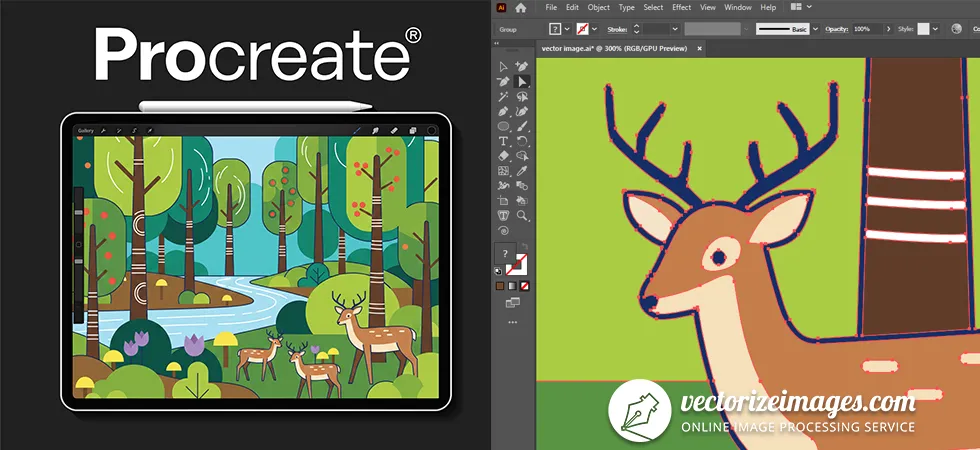
Did you draw an illustration in Procreate. Vectorize it for perfectly scalable, high-quality designs without pixelation. Convert Procreate drawings into clean, professional vectors.
Get started now
How to vectorize procreate drawing or logo?
📤Step 1
Upload your artwork exported from Procreate using the request form above. Make sure your file is high-resolution and clean for the best vector results.
✍ Step 2
Choose whether you want vector tracing or manual redrawing of your illustration into vector graphics. Vector tracing is quick and works well for simple designs, while manual redrawing ensures precise detail for complex logos or illustrations.
📥Step 3
We will process your files and send you the vectorized artwork, perfect for print. You’ll receive a scalable file that maintains sharpness at any size, ideal for branding, merchandise, and professional printing.
Advantages of vectorization techniques
Free
vectorization
✅ No cost, accessible to everyone.
✅ Quick and easy for simple shapes or basic logos.
✅ Usually automated, so minimal effort required.
❌Limited accuracy, especially with complex illustrations.
❌Often produces rough edges or loses detail.
❌ May not be suitable for professional printing or high-quality branding.
0$ Free service
www.vectorization.eu
Manual
vectorization
✅ Highly accurate and precise; retains all details.
✅ Fully customizable; you can adjust curves, colors, and shapes.
✅ Ideal for complex illustrations and logos where quality matters.
❌Time-consuming and requires skilled designers.
❌Can be more expensive due to labor-intensive work.
Price starts at $9
Premium vector tracing
✅Combines automation with professional refinement.
✅Fast processing with high-quality results.
✅
❌Usually paid service.
❌May still require minor adjustments for very complex designs.
❌Not as hands-on as full manual vectorization, so some subtle details might be simplified.
Price starts at $3 (7 images)
What is
Procreate?
Procreate is a powerful digital illustration app designed exclusively for iPad. It allows artists, designers, and illustrators to create high-quality artwork using a wide range of brushes, tools, and advanced features. With its intuitive interface and Apple Pencil support, Procreate feels natural and responsive, making it ideal for sketching, painting, lettering, and detailed illustration.
Why can’t Procreate export vector files?
Procreate can’t export vector files because it is a raster-based application, meaning it creates images using pixels rather than mathematical paths. Raster images, like those produced in Procreate, are made of tiny dots of color, which makes them ideal for digital painting and detailed illustrations but prevents them from being infinitely scalable without losing quality.
What is
vectorization?
Vectorization is the process of converting raster images, which are made of pixels, into vector graphics, which are made of mathematical paths and shapes. This allows the image to be scaled infinitely without losing quality and makes it easier to edit individual elements. Vectorization is often used for logos, illustrations, and technical drawings where precision and clean lines are important.
What are the advantages of vector artwork?
Vector artwork is ideal for print because it is made of mathematical paths instead of pixels, so it never becomes blurry or pixelated, no matter how large it is scaled. Whenever you need to print artwork for a book or company graphics on large-scale banners or billboards, vector files are the right choice.
FAQs
1. Do I need additional software to vectorize Procreate art?
Yes. Procreate itself doesn’t natively export true vector files like SVG or EPS. You’ll need software like Adobe Illustrator, Affinity Designer, or online vectorization tools to convert your Procreate artwork into scalable vector format.
2. What file formats should I use for vectorization?
Export your artwork from Procreate in high-resolution formats like PNG or JPG. These files preserve detail and make the vectorization process more accurate.
3. Will vectorized art look exactly like my Procreate artwork?
Vectorization simplifies shapes and lines, so while it maintains the overall design, very fine textures or brush strokes may appear smoother or more stylized. Adjustments can be made in vector software after conversion.
4. Is vectorized art suitable for printing?
Absolutely! Vector files are perfect for printing because they can scale to any size without losing sharpness, whether it’s a small business card or a large banner.
5. Can I edit vectorized art after converting from Procreate?
Yes. Once converted to vector format, each shape and line becomes editable in vector software, giving you full control over colors, shapes, and layers.
6. Are there any tips for preparing Procreate art for vectorization?
Use clean lines and solid fills rather than complex textures. Separate elements into layers for easier editing. Work at the highest possible resolution for best results.
7. Is vectorization suitable for animation?
Vector art can be animated, especially in software that supports scalable graphics. It’s ideal for motion graphics, web animations, and digital projects that require sharp visuals at multiple sizes.
8. How much does vectorization cost?
Our vectorization service starts at just $3 for 8 images. There are no hidden costs—it’s a one-time payment for the set of images you choose. The price will be higher if you want to manually redraw the image.
9. How long does vectorization take?
Turnaround depends on the complexity and number of images. Simple sets can often be completed quickly, while detailed or hand-redrawn images may take longer.